Five people,one event.

An organizer, coach, judge, head judge and competitor each see a different Wusora screen at the same tournament.

Who uses it.

Each role sees only the parts of Wusora it needs.

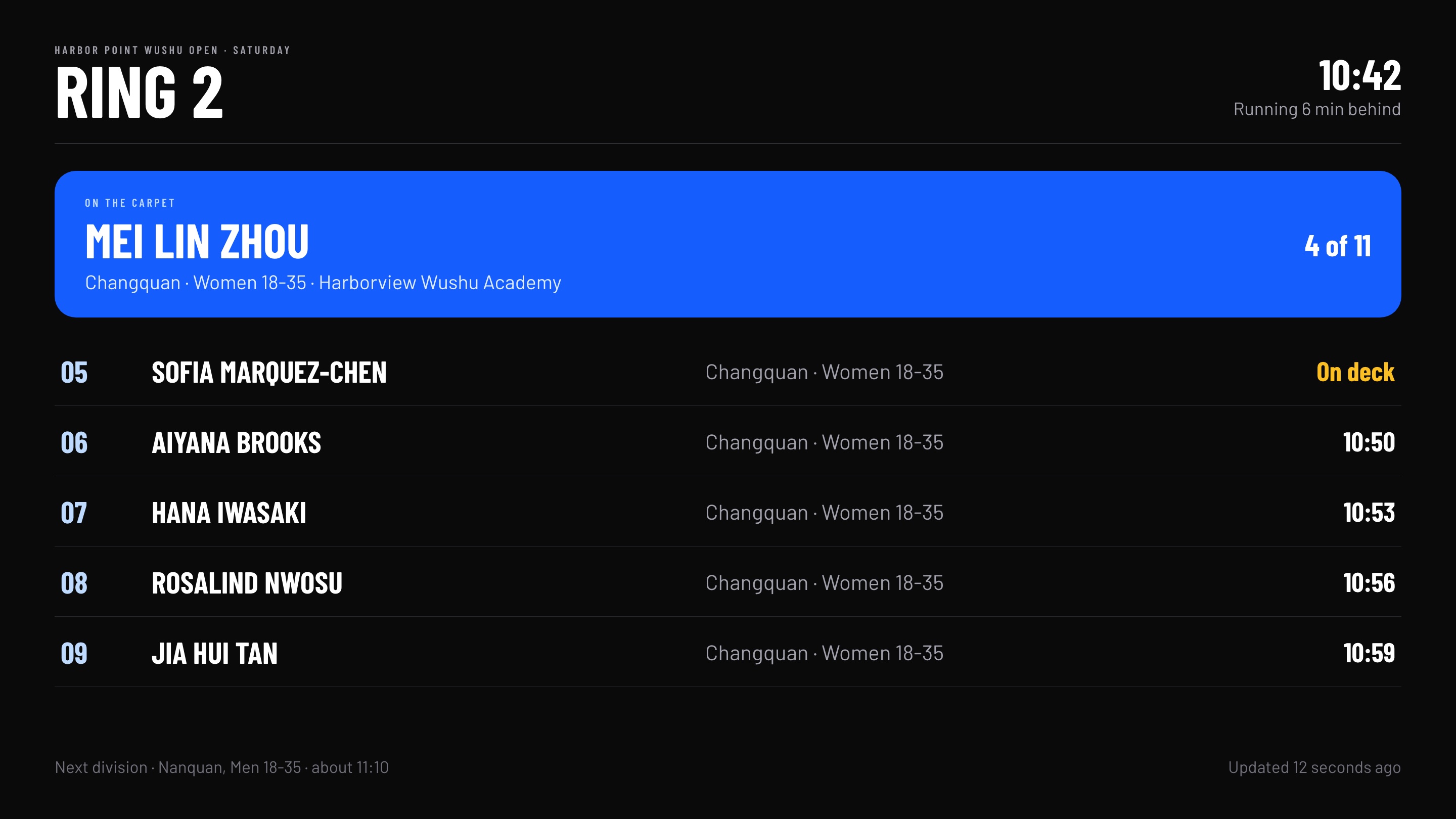
A ring schedule board on a venue TV, with the athlete on the carpet and the next athletes' estimated times
OrganizerLive

Set up the event and run the day from one dashboard.

Set up divisions, pricing, waivers, merchandise and emails, then follow check-in and ring progress on the day.

  • Your workspace and staff accounts
  • Pages and emails in your colors
  • Judge and official staffing
  • Ring boards for venue TVs
  • Tablets and TVs locked to one screen
CoachLive

Register the whole school in one form.

  • Team entries in one place
  • Card through Stripe, or PayPal
  • Changes and refunds by secure link
  1. 1You fill in one form
  2. 2Each athlete gets a private link
  3. 3They pay, or you pay for all
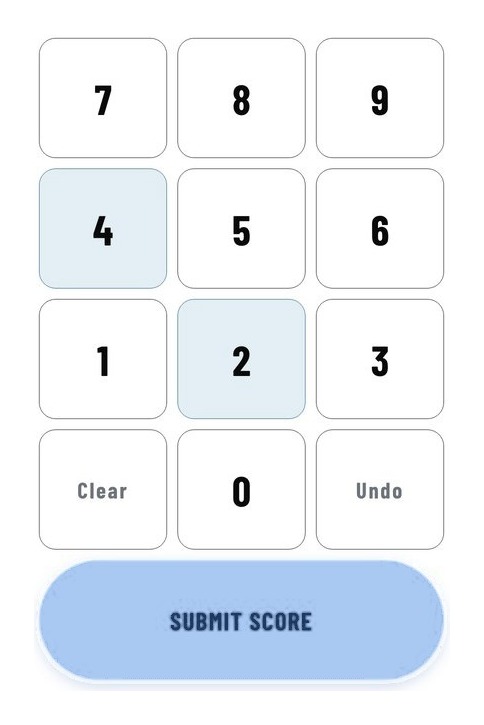
Judge keypad with a Submit score button
JudgeBuilding

Score on a tablet, not a sheet.

Your ring and session will come from the staffing plan.

  • A keypad for your component
  • No flip cards, no runner
  • Scores will save as you enter them
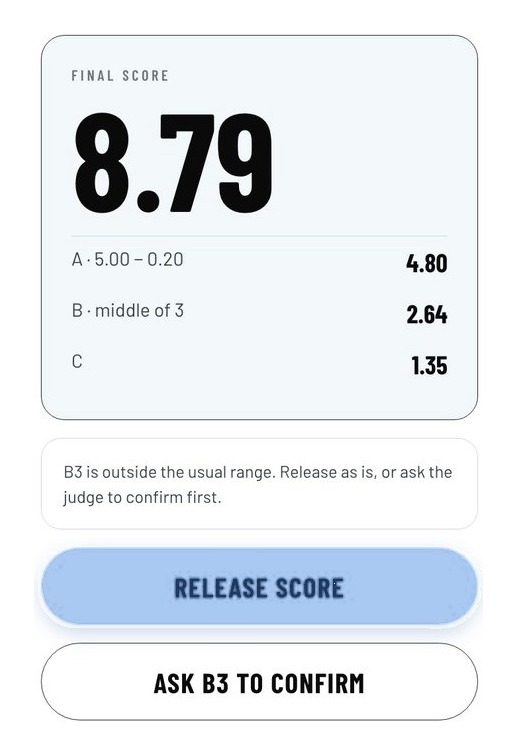
Head judge panel with a final score of 8.79 and a Release score button
Head judgeBuilding

See every score before you release it.

You'll see the whole panel on one screen, with outlier scores flagged.

  • All A, B and C scores together
  • Release, or ask a judge to confirm
  • Released scores will go to the board
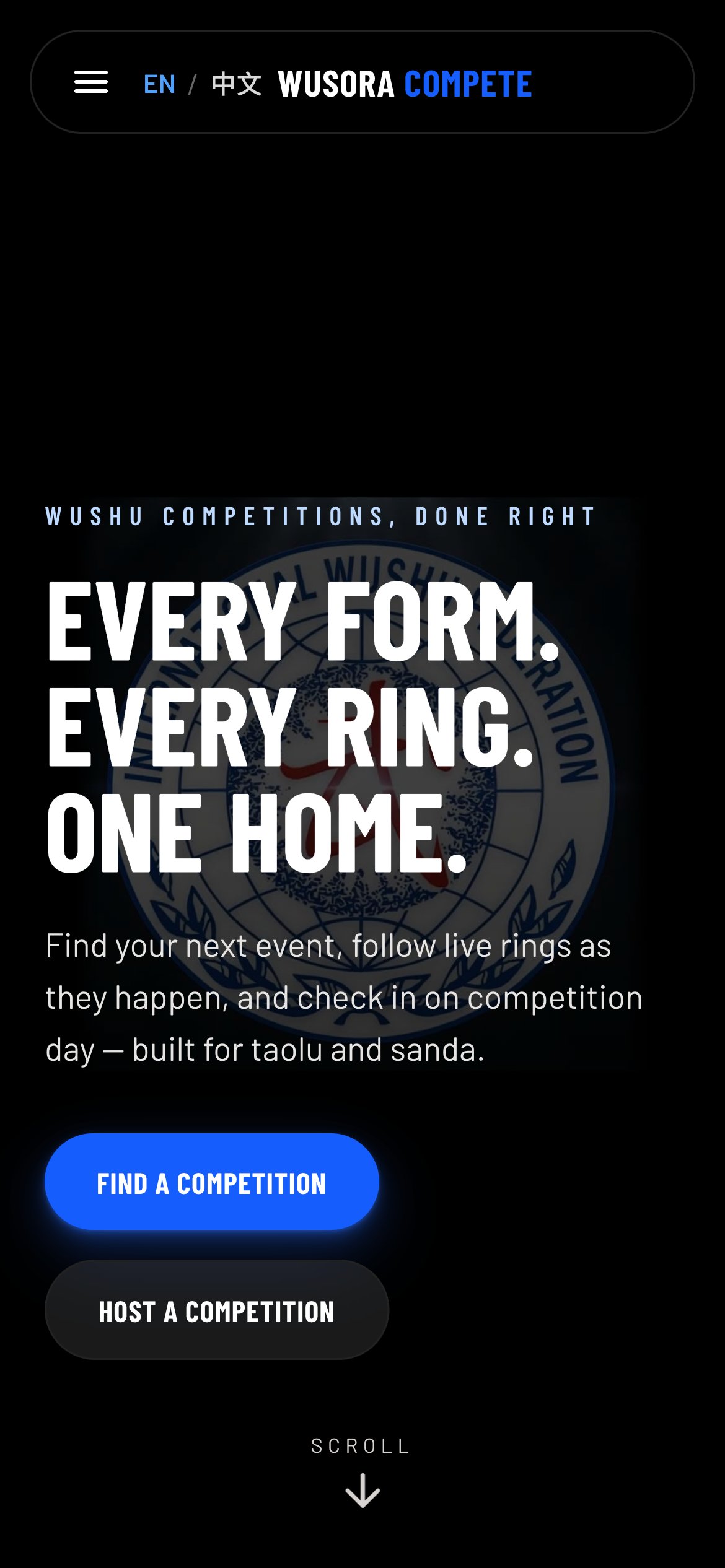
The Wusora competitor site on a phone: Every form. Every ring. One home.
CompetitorLive

Use it on your phone, without an app.

Register and check in by code or QR, in English or Chinese.

  • Competition search and event pages
  • An IWUF rules explorer
  • Ring schedule in the portal (building)

The ring board, keypad and head judge panel are mockups with demo data.

Bring your next tournament off paper.

Send your competition date and phone number, and we'll call to walk through your event.

Contact us